
Features
What the console does.
Everything described here can be used in the console today. Work in progress is listed at the end. The interface is in German.
Dashboard & CISO light
Where it hurts – and why – at a glance.
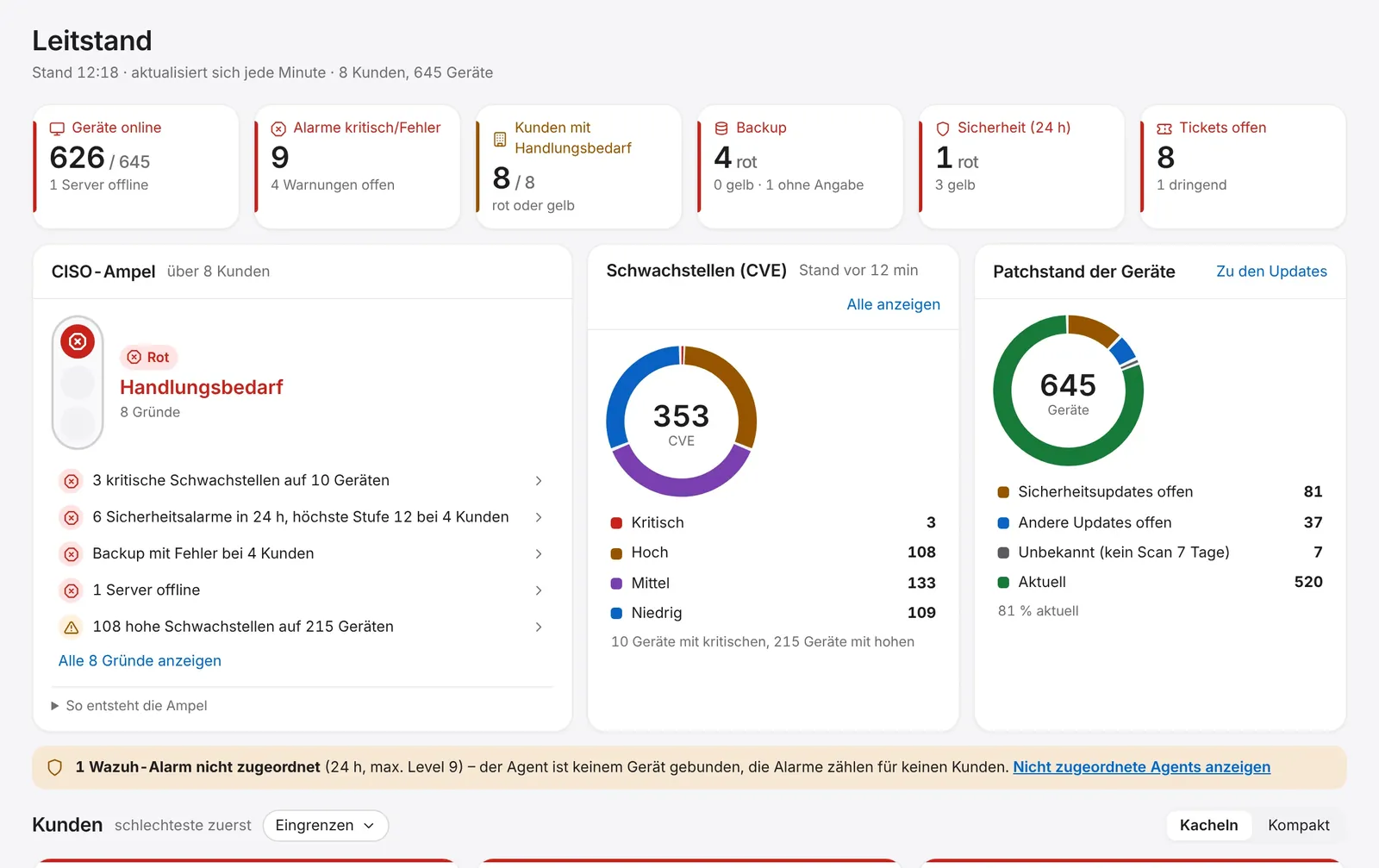
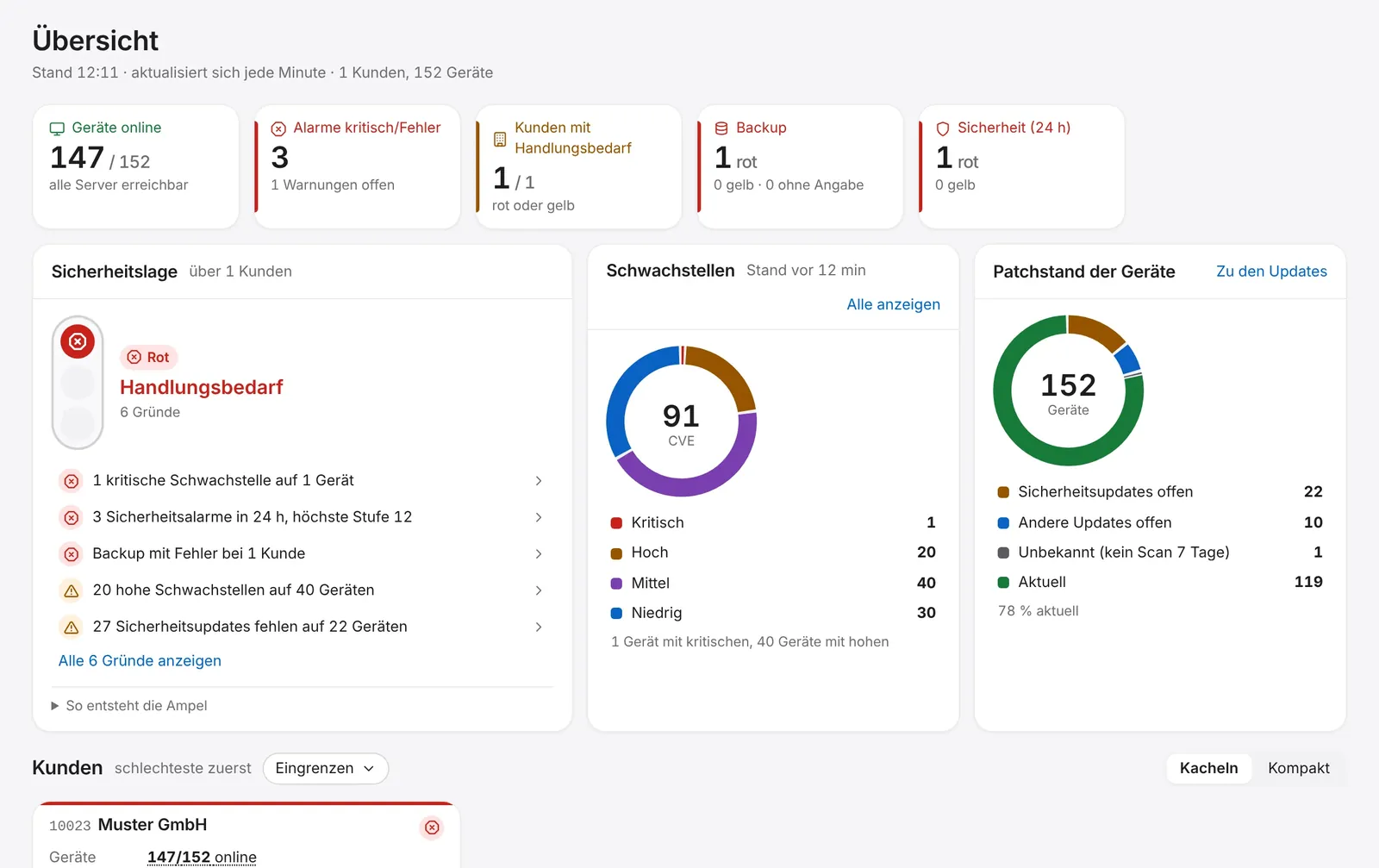
Key figures on devices, alerts, backup and security across all clients. The CISO traffic light lists its reasons; clients are sorted by state, the worst first.
- Traffic light overall and per client
- Rings for vulnerabilities (CVE) and patch status
- Refreshes every minute
Devices & monitoring
Every device with health, inventory and alerts.
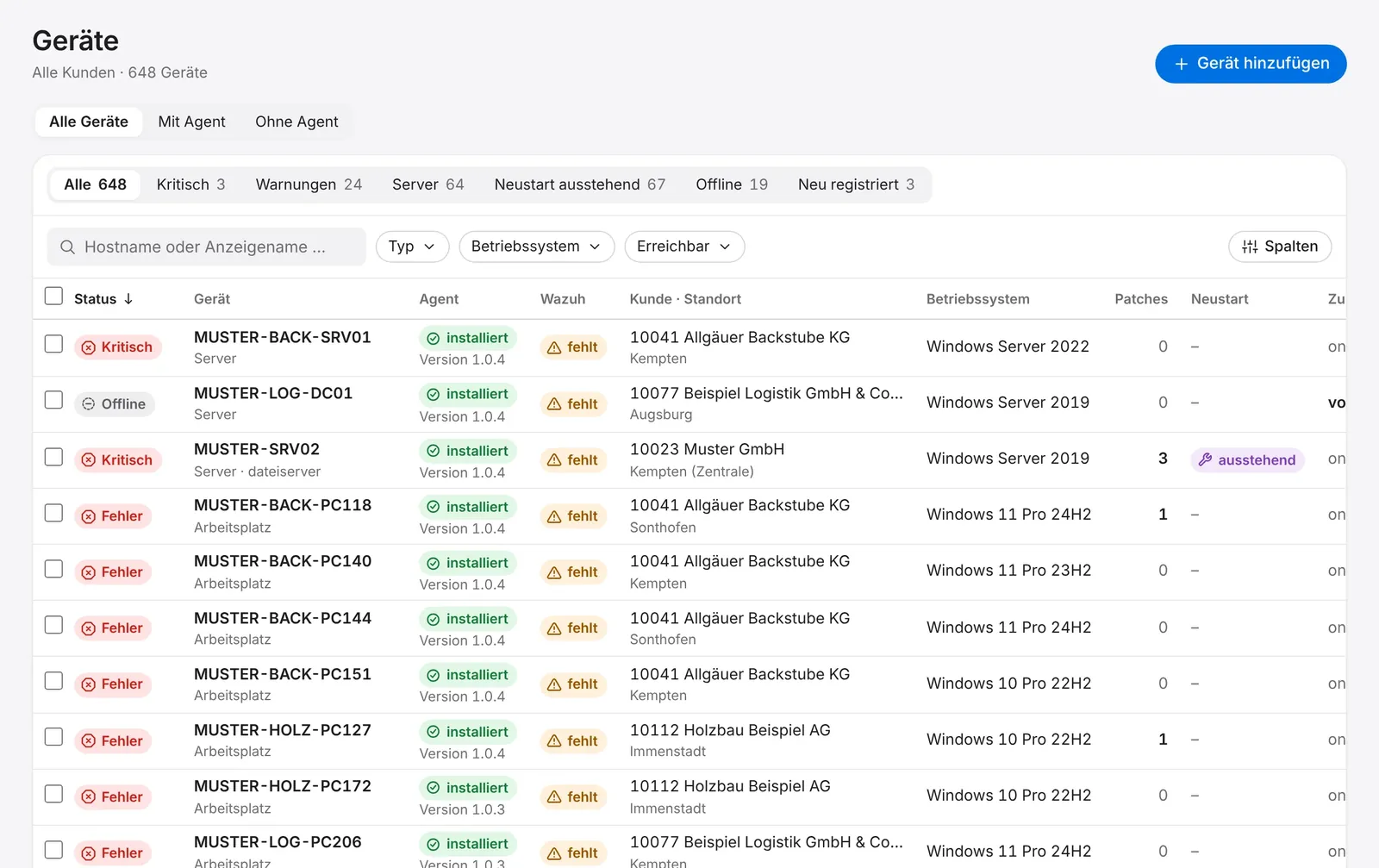
An agent on every Windows and Linux device reports hardware, software, services and metrics. The site probe also monitors firewalls, switches, access points, printers and UPS without an agent.
- Inventory: vendor, model, serial, CPU, RAM, disks, network, software, services
- Filters: critical, warnings, reboot pending, offline, newly registered
- Computers without an agent are marked “agent missing”
- New devices only after confirmation in the console
Patching
Windows Update, winget, apt and dnf.
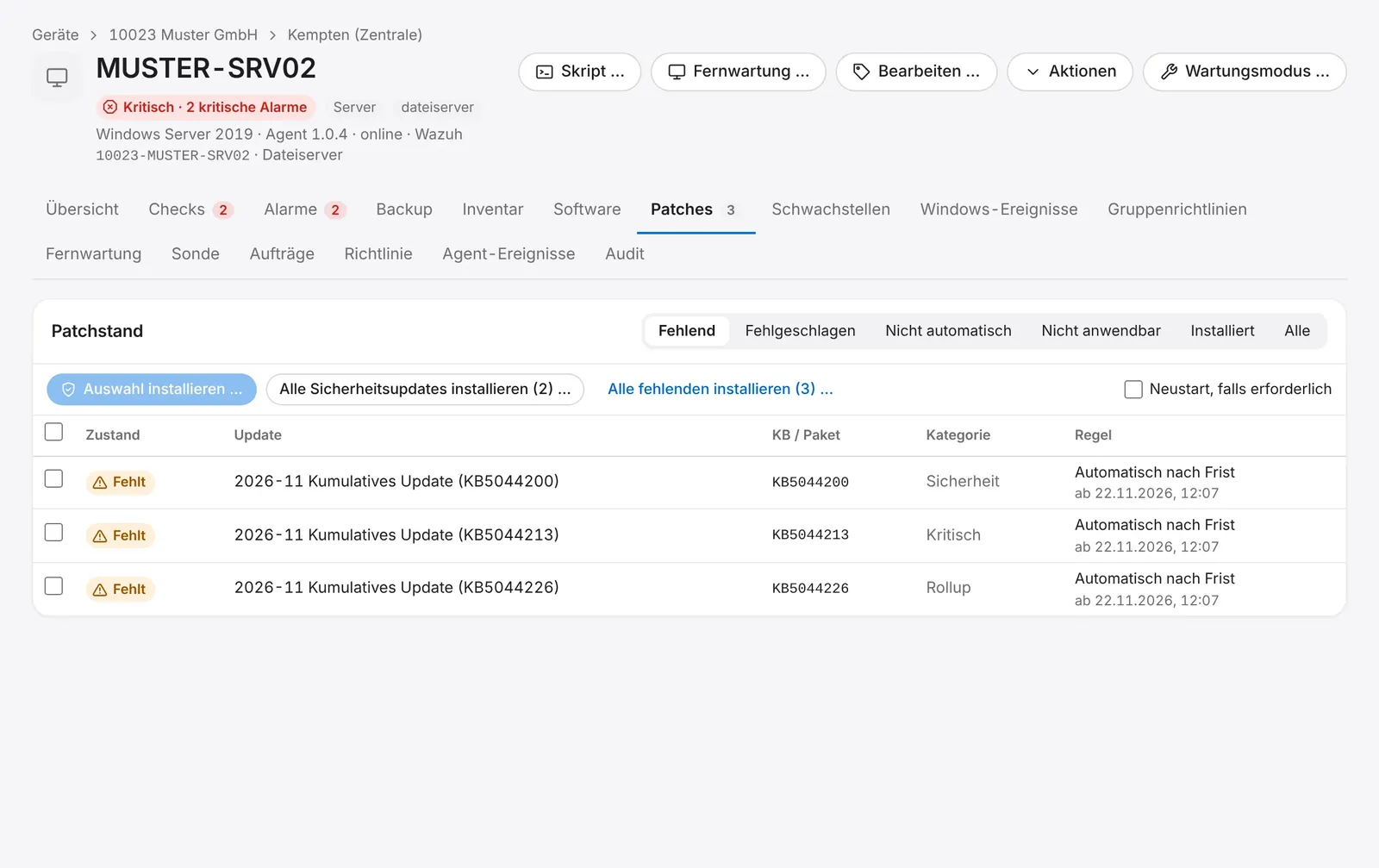
Per device you see which updates are missing, which failed and which rule approves them. Optional automatic patch runs install approved updates in the maintenance window, in waves.
- Approve, decline, defer; automatic approval after a waiting period
- Patch runs of up to 10 devices or “install now” on the device
- Reboot only if ticked and allowed by policy
- Automatic runs: workstations, then servers, then domain controllers and hypervisors; stop after the first failure; off by default
Vulnerabilities & SIEM
A security picture, not a flood of alerts.
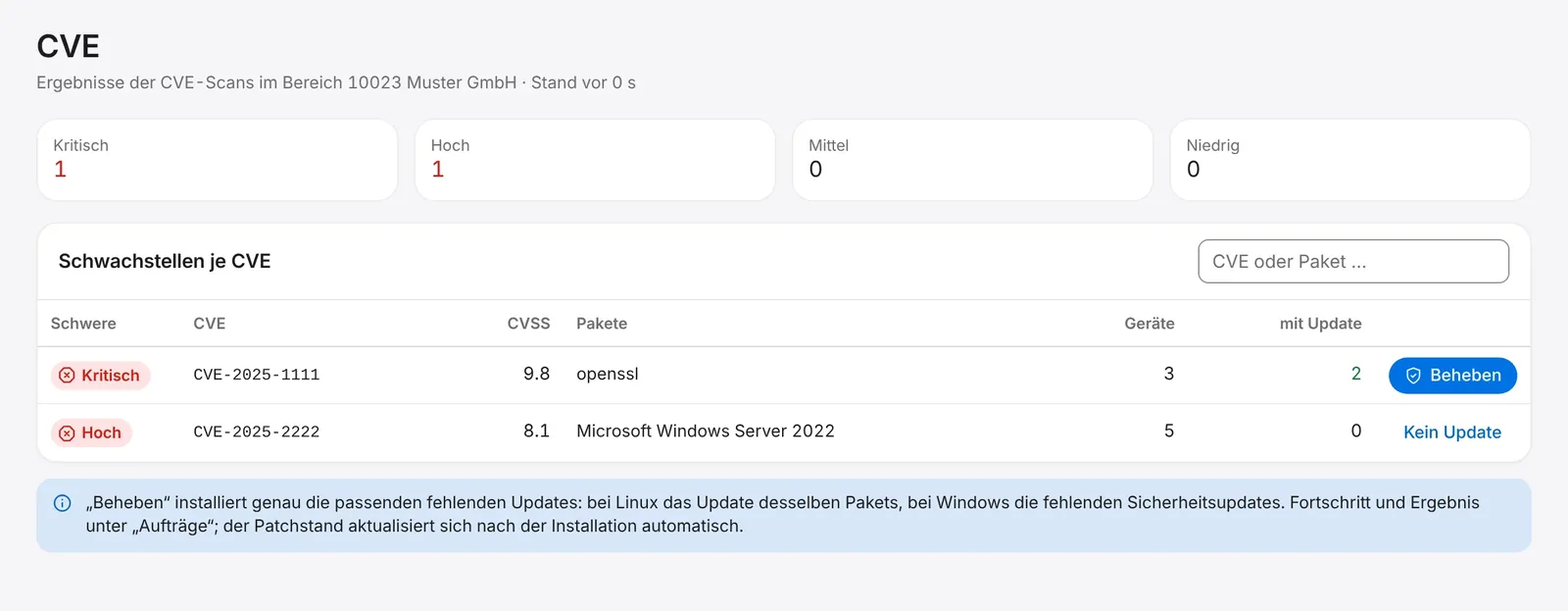
Vulnerabilities of all devices from Wazuh by severity with CVSS score. “Fix” installs exactly the matching updates. The SIEM shows connected sources, events and alerts per day and top rules per client.
- “No update” is shown honestly where none exists
- Alerts by level, 30-day history
- No 24/7 service – you respond yourself
- More SIEM sources (firewalls, switches, NAS, Microsoft 365) are in preparation
Software
Signed packages, approved jobs.
MSI and EXE packages enter the catalogue only after checking SHA-256 and signer, approved with a security key and a waiting period. Third-party software is compared with the vendor's current version, and a software search finds any program across your clients.
- Result per device: installed, already present, failed (exit code), skipped (reason)
- Uninstall only with key approval and local policy permission
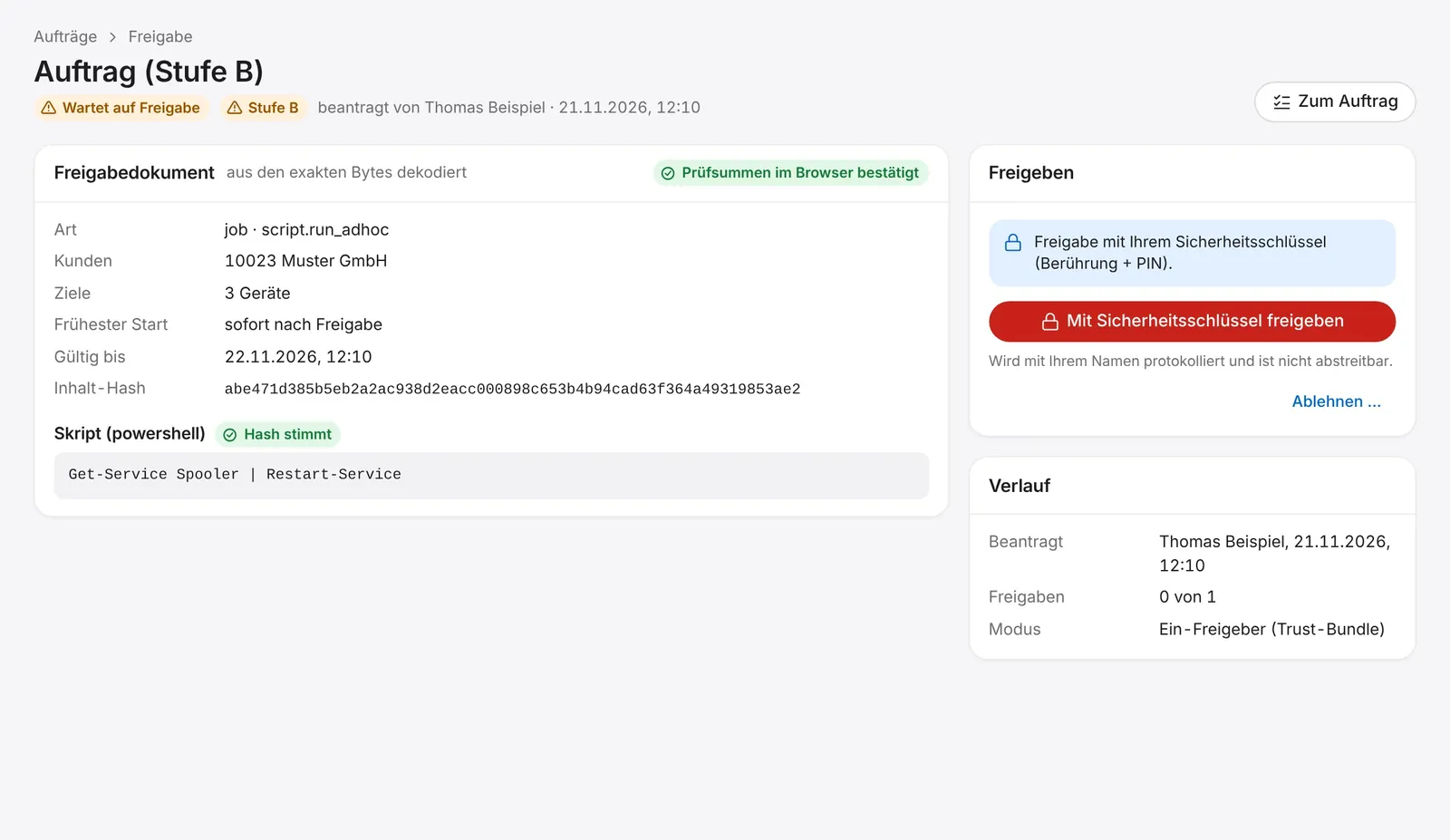
- Ad-hoc scripts and bulk jobs need approval with security key or passkey; every job is signed for exactly one device
Discovery & network map
One probe per site.
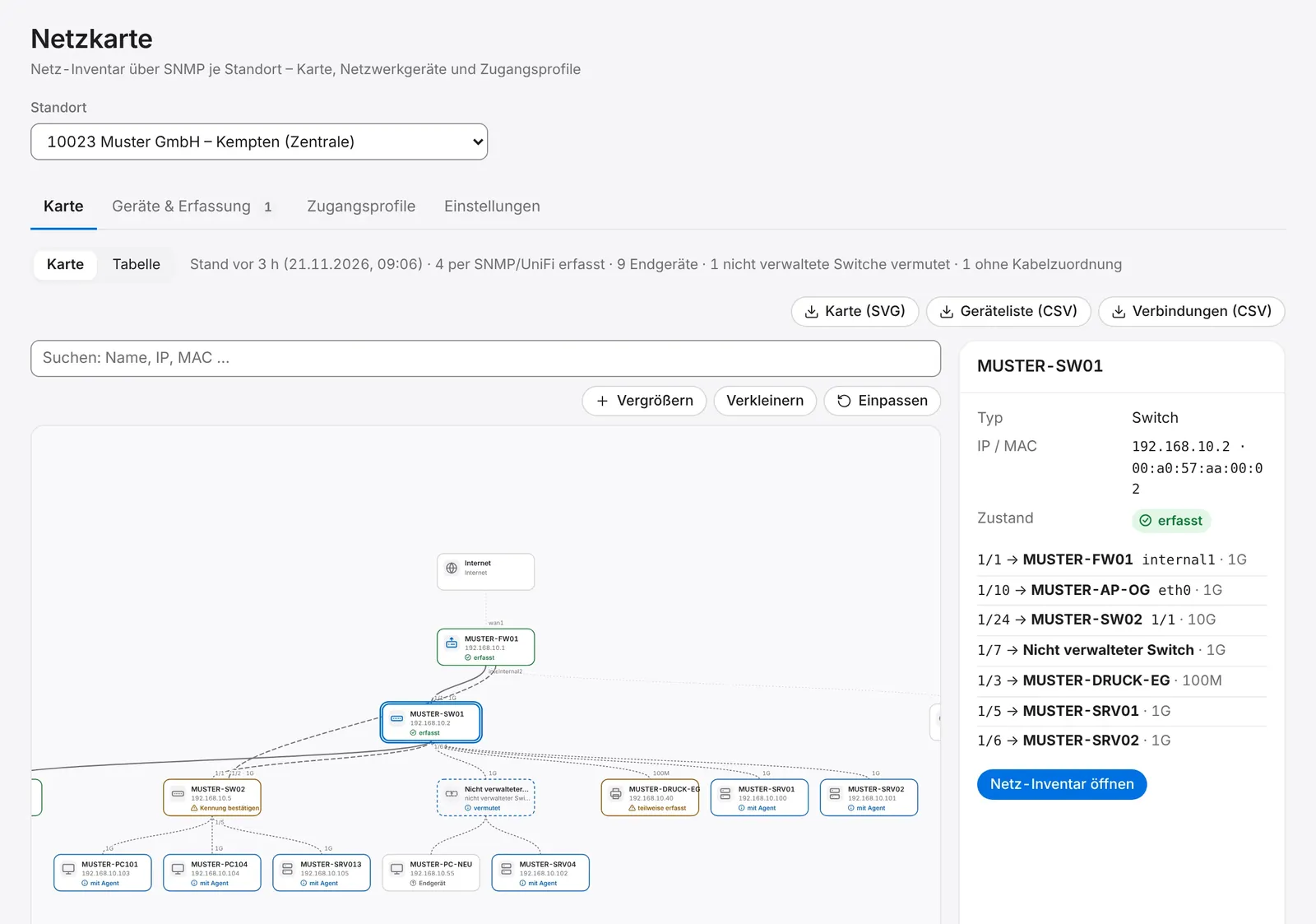
An existing agent becomes the site probe and scans the networks at night or on demand. Switches and firewalls are queried via SNMP – read-only – to draw the network map with ports and links.
- Agent rollout via the probe (Kerberos) or Group Policy
- UniFi controller as an extra read-only source, never via the cloud
- Export as SVG image and CSV list
Documentation, emergency plan, reports
Documentation that writes itself.
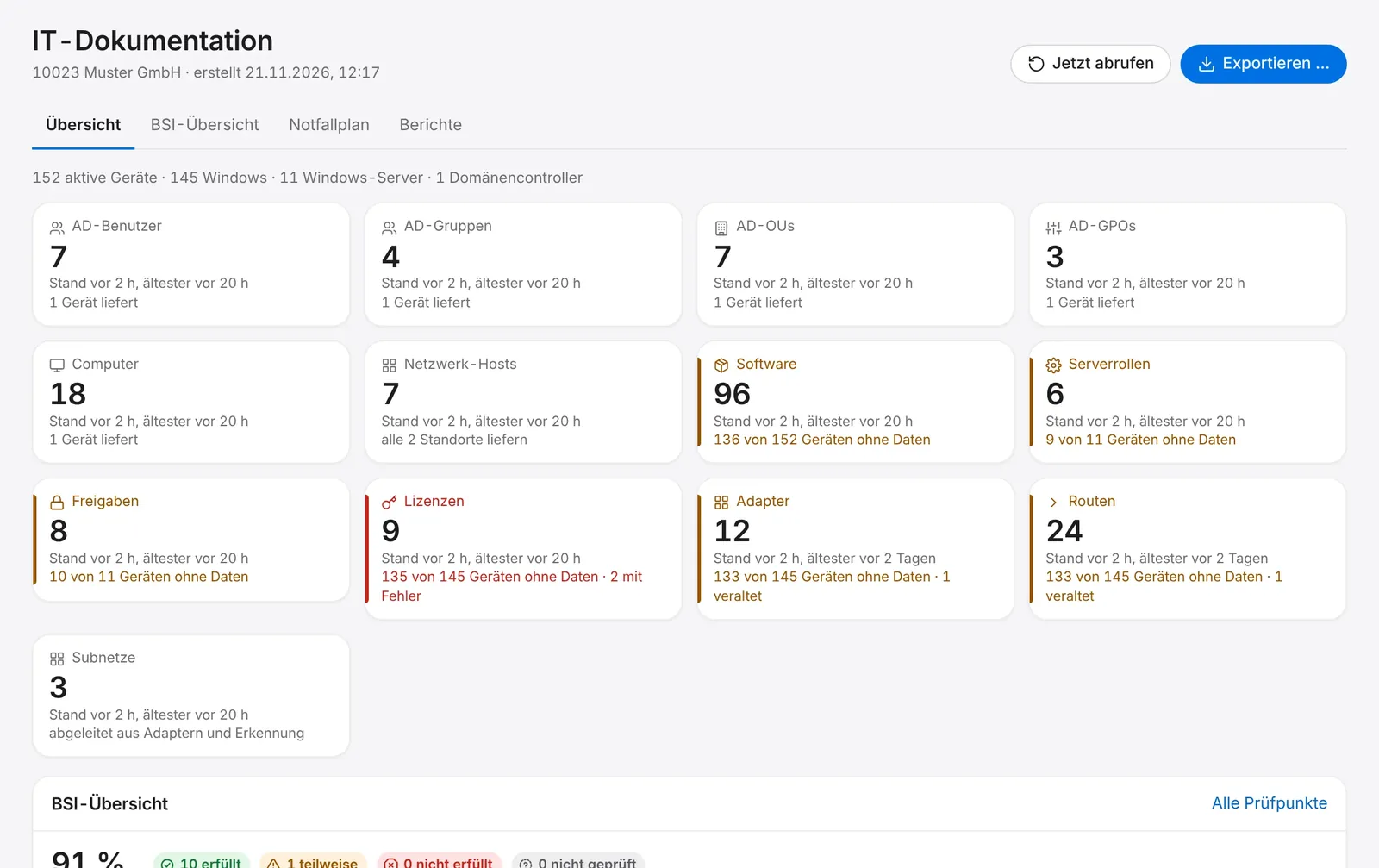
Active Directory, hosts, adapters, routes, subnets, server roles, shares, software and licences per client. An IT emergency plan with 15 sections, and 25 reports in HTML, CSV or Excel.
- Only the last five characters of product keys
- BSI overview: orientation on IT-Grundschutz, not a certificate and not an audit
- Emergency plan: a working tool, not legal advice
- Report schedule sends a link to the console by default, no content in the e-mail
Remote support, backup, roles
And the rest of the daily work.
Remote control of Windows devices in the browser, Veeam backup monitoring and five roles with a strict client view.
- Remote sessions with reason and second factor, on-screen notice, logged, never recorded
- Veeam jobs, repositories and malware events via a read-only account; no backup of data itself
- Client administrators see only their own company; separation in the database
- Agent updates are cryptographically signed and rolled out in rings with automatic stop
In preparation
Work in progress – not ready yet.
We are building these now and will name dates once they are ready.
More SIEM sources
Firewalls, switches and NAS via syslog through the probe, plus Microsoft 365 and mail servers.
macOS agent
The agent for Mac devices is in the works.
PXE and images
Network boot and image-based setup.
See it rather than read about it.
Try it for 14 days, free and without obligation. Write to us and we will set up your access.
Free and without obligation: 14 days from your first sign-in. The trial ends by itself and does not turn into a paid contract. Business customers only. Data protection: privacy policy, section “Testzugang” (German).